Method
Methods of the `CellRange` object:
- cr.union(other)
- cr.intersection(other)
- cr.issubset(other)
- cr.issuperset(other)
- cr.isdisjoint(other)
Sample Code
#Set Operations of Cell Ranges

#Import load_workbook function
from openpyxl import Workbook

#Create a new workbook
wb=Workbook()
#Get the active worksheet
ws=wb.active

#Import CellRange function
from openpyxl.worksheet.cell_range import CellRange

#Create two cell range objects
cr1=CellRange('D5:F7')
cr2=CellRange('E3:G5')

#Compute the union of the two ranges
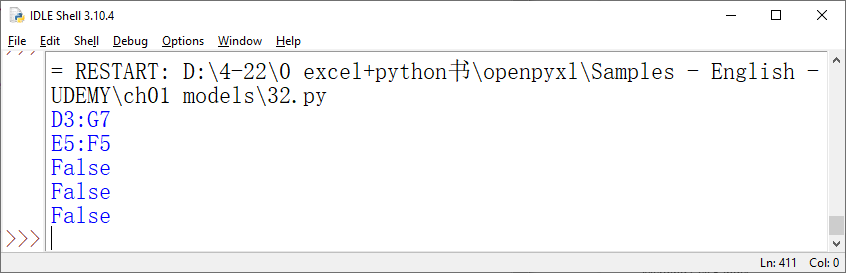
print(cr1.union(cr2))

#Compute the intersection of the two ranges
print(cr1.intersection(cr2))

#Check if one range is a subset of the other
print(cr1.issubset(cr2))

#Check if one range is a superset of the other
print(cr1.issuperset(cr2))

#Check if the two ranges are disconnected
print(cr1.isdisjoint(cr2))

wb.save('test.xlsx')
wb.close()