Method
Create a `Font` object to define the font’s name, size, boldness, italics, etc. The main parameters and their descriptions are as follows:
- name,Font name.
- size,Font size.
- color,Font color.
- bold,Whether the font is bold.
- italic,Whether the font is italic.
- underline,Underline setting, can be “none”, “single”, or “double”.
- strike,Whether the font has a strike-through.
- strikethrough,Alternate for strike-through.
- vertalign,Superscript, subscript setting, can be “superscript”, “subscript”, or “baseline”.
Sample Code
#Cell Style: Setting Fonts

#Import load_workbook function
from openpyxl import Workbook

#Create a new workbook
wb=Workbook()
#Get the active worksheet
ws=wb.active

#Import the Font class
from openpyxl.styles import Font

#Create a font
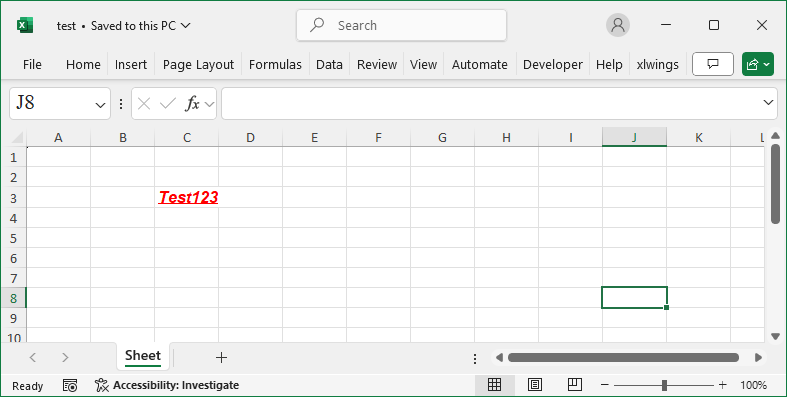
font=Font(name='Arial', size=12, bold=True, italic=True, \
          underline='single', strike=False, color='FF0000')

#Set the font of a cell
ws.cell(row=3, column=3).font=font
ws['C3']='Test123'

wb.save('test.xlsx')
wb.close()